PhotoDepot
Create local photo libraries on Mac. Receive photos from PhotoShuttle on iPhone, with Live Photos, map locations, and a timeline.
Gallery
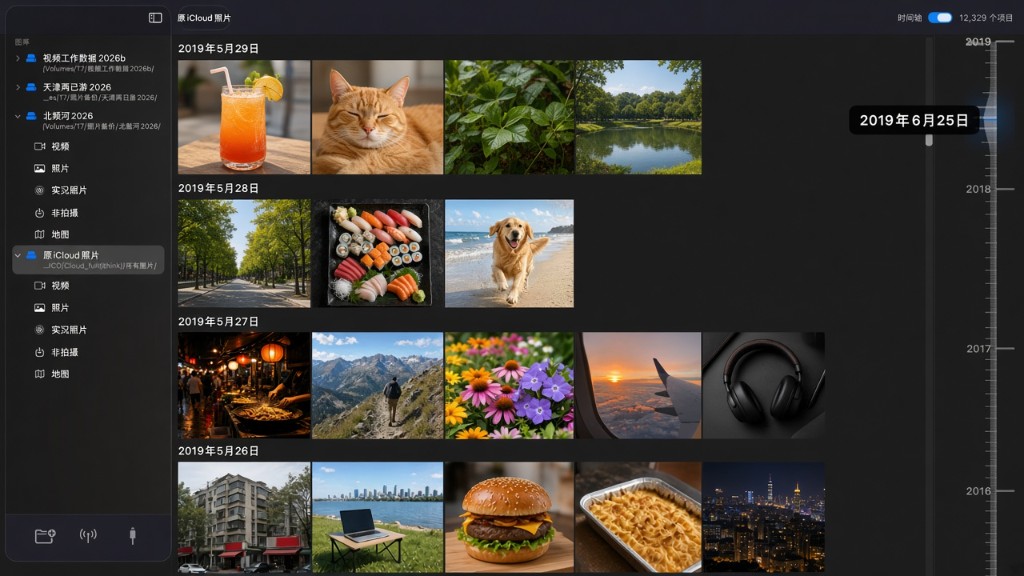
Create multiple local libraries, including libraries on external drives.
Browse photos and videos by date. Use gestures to zoom, then open a larger preview or play a video.
A timeline is built from capture time so you can jump straight to photos and videos.
Besides creating a library from a local folder, you can also receive wireless or wired backups from the PhotoShuttle app—move iPhone photos and videos to Mac to browse.
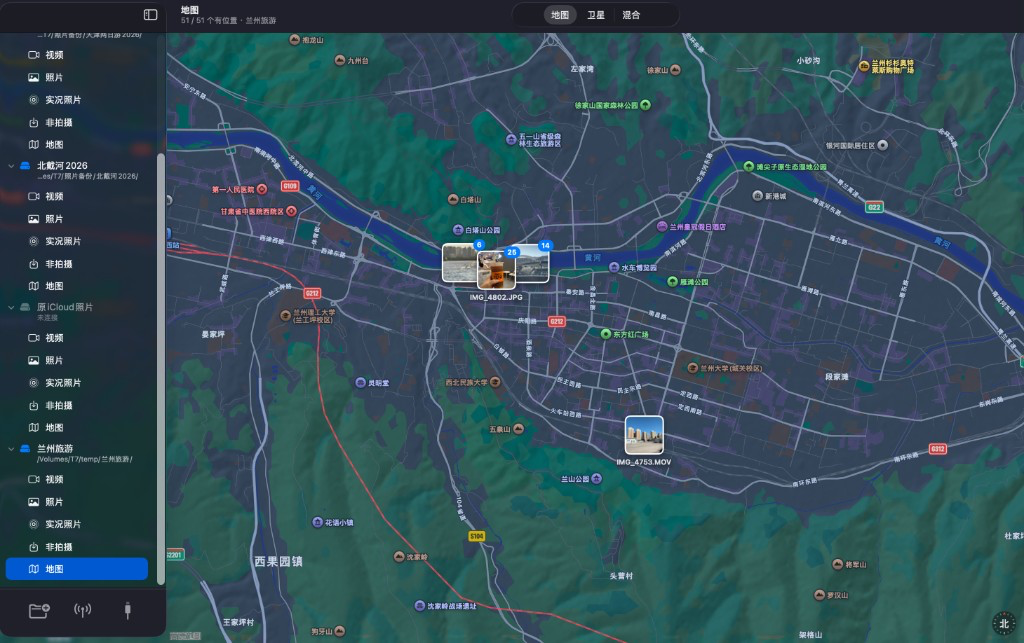
Locate your photos on Apple Maps, with map pins for a single photo or many at once.
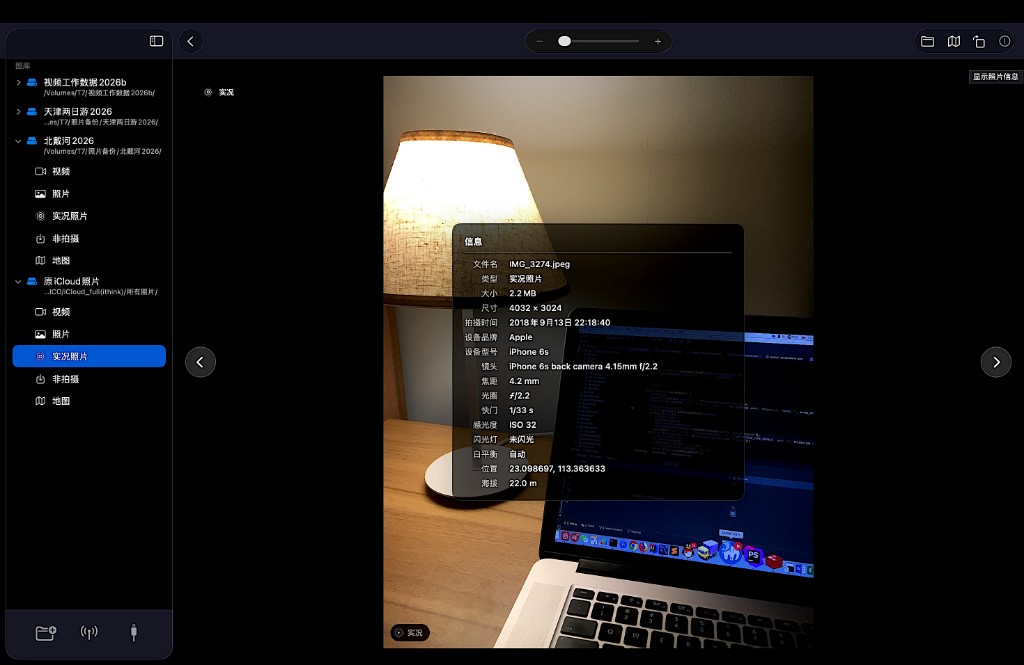
Zoom in to preview photos, videos, and Live Photos; reveal the file on disk, jump to the map, rotate a photo, and view capture settings.
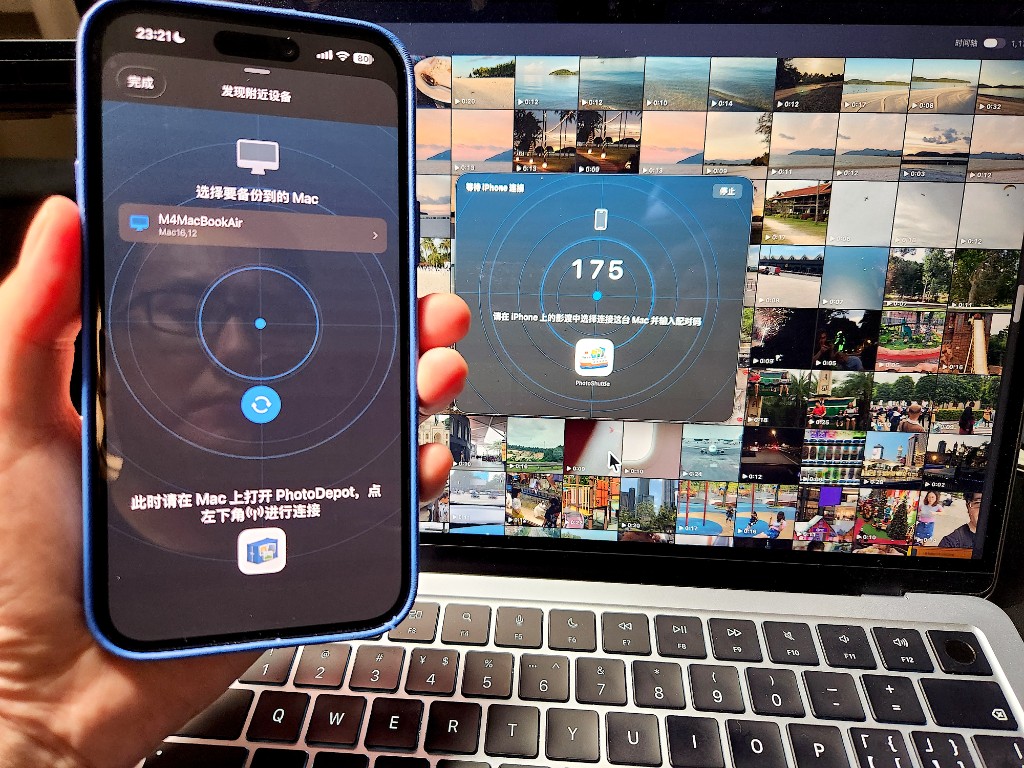
Pair “PhotoShuttle” on iPhone with “PhotoDepot” on Mac over peer-to-peer Wi-Fi or a cable, then back up iPhone photos and videos to Mac.
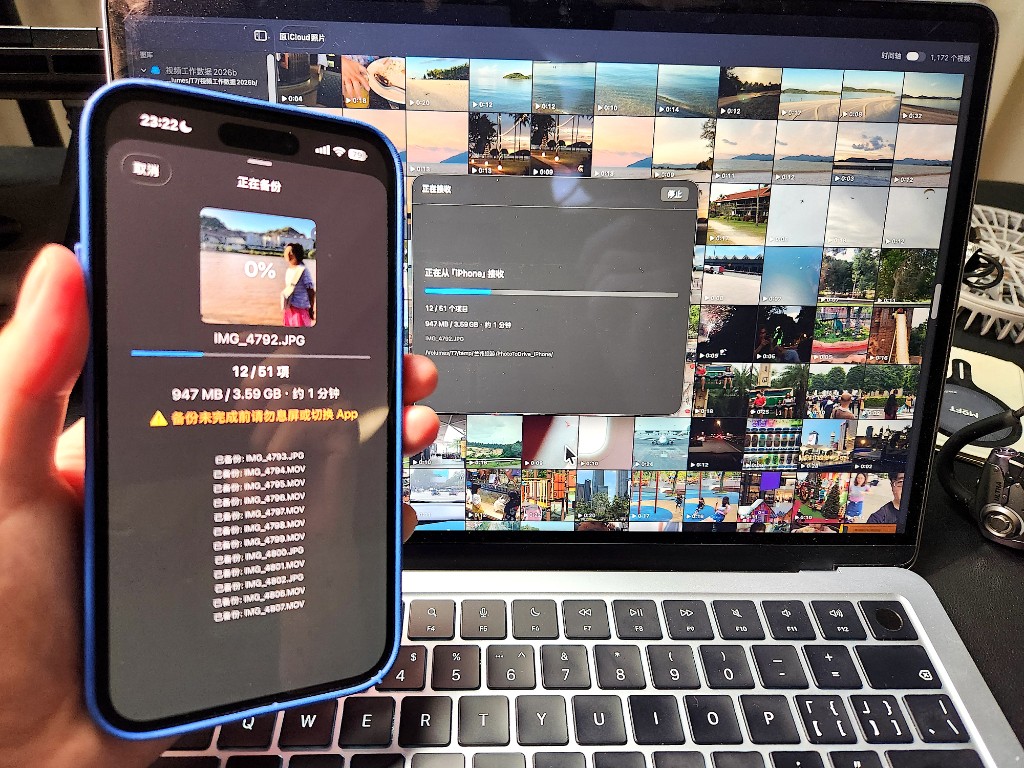
Used together, “PhotoShuttle” on iPhone and “PhotoDepot” on Mac back up iPhone photos and videos to local storage you can browse on Mac. Backups can pull originals from iCloud, so you are also downloading iCloud originals onto your Mac 😊.
More apps